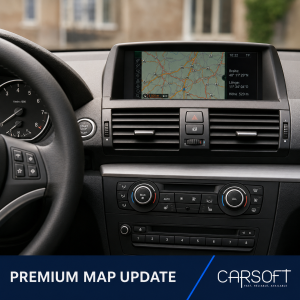
BMW Road Map PREMIUM Update
Updated navigation map data for compatible BMW and MINI vehicles whose
current navigation version displays
Road Map [Region] PREMIUM.
After purchase, we will provide a temporary download link
containing the selected PREMIUM map package. No physical USB drive or
postal delivery is included.
Before ordering
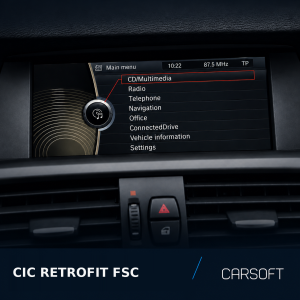
- Open the Navigation menu in the vehicle.
- Press the OPTION button on the iDrive controller.
- Select Navigation system version or Version information.
- Confirm that the displayed map name contains PREMIUM.
- Check the currently activated navigation region.
Example:
Road Map Europe PREMIUM 20XX-X
Do not order this product if the displayed map type is NEXT, MOVE, MOTION,
ROUTE, EVO, WAY, LIVE or JOY.
What is included
- Selected PREMIUM navigation map package
- Temporary download link
- Basic USB preparation instructions
The FSC activation code is not included and must be purchased separately
when required by the vehicle.
Installation instructions
- Download all map files using the temporary link supplied after purchase.
- Extract the complete navigation map archive on your computer.
-
Copy the extracted map files and folders directly to the root of a
compatible USB flash drive. - Do not place the map data inside an additional folder.
- Connect the prepared USB flash drive to the vehicle.
- Wait until the navigation system detects the map update.
- Confirm the update when prompted on the vehicle display.
- Enter a valid PREMIUM FSC activation code if requested.
- Keep the USB flash drive connected until the installation is completed.
FSC activation
This map package does not include an FSC activation code.
Recommended product:
BMW FSC Code for PREMIUM Navigation Map Update.
The FSC region must match both the selected map package and the region
currently activated in the vehicle.
Region change
Installing PREMIUM maps from another region is not a standard map update.
A normal PREMIUM FSC code does not automatically convert the navigation
region.
If the required map region differs from the region currently activated in
the vehicle, purchase the separate FSC Region Change
service before starting the update.
Important compatibility notice
Compatibility must be confirmed using the navigation map version displayed
in the vehicle. The version information must contain
Road Map [Region] PREMIUM.
Vehicle model, chassis and production year alone are not sufficient to
confirm compatibility.