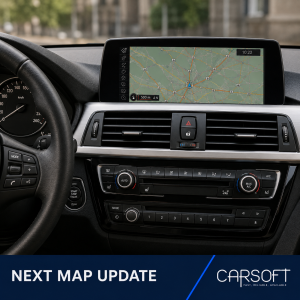
NEXT Navigation Map Update

40,00 


Latest available navigation map data for compatible BMW and MINI vehicles
using Road Map NEXT.

  • Map files delivered through a temporary download link
  • Multiple regional map packages available
  • Installation using a compatible USB flash drive
  • NEXT FSC activation code is not included

Required: Confirm that the navigation version displayed in
the vehicle contains NEXT and select the correct currently
activated map region.

Region notice: Europe NEXT is supplied as separate
East and West packages. Installing a
different navigation region requires a separate FSC Region Change service.


Share it:

BMW Road Map NEXT Update

Updated navigation map data for compatible BMW and MINI vehicles whose
current navigation version displays
Road Map [Region] NEXT.

After purchase, we will provide a temporary download link
containing the selected NEXT map package. No physical USB drive or postal
delivery is included.

Before ordering

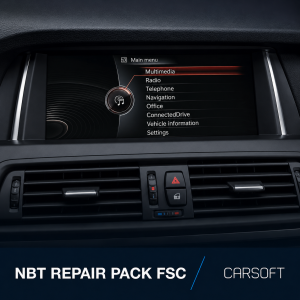
  1. Open the Navigation menu.
  2. Press the OPTION button on the iDrive controller.
  3. Select Navigation system version or Version information.
  4. Confirm that the displayed map name contains NEXT.
  5. Check the currently activated navigation region.

Examples:
Road Map Europe WEST NEXT 20XX or
Road Map Europe EAST NEXT 20XX.

Do not order this product if the displayed map type is PREMIUM, MOVE,
MOTION, ROUTE, EVO, WAY, LIVE or JOY.

What is included

  • Selected NEXT navigation map package
  • Temporary download link
  • Basic USB preparation instructions

The NEXT FSC activation code is not included and must be purchased
separately when required.

Installation instructions

  1. Download all files using the temporary link supplied after purchase.
  2. Extract the complete navigation map archive on your computer.
  3. Open the extracted map folder, normally beginning with
    NAVD.
  4. Copy all files and folders located inside the map folder directly to
    the root of a compatible USB flash drive.
  5. Do not copy the complete outer map folder and do not create an
    additional folder around the map data.
  6. Connect the prepared USB flash drive to the vehicle.
  7. Confirm the navigation update when it appears on the vehicle display.
  8. Enter a valid NEXT FSC activation code when requested.
  9. Keep the USB flash drive connected until the installation is completed.

FSC activation

This map package does not include an FSC activation code.

Recommended product:
BMW FSC Code for NEXT Navigation Map Update.

The FSC code must be prepared for the same map region as the selected NEXT
package and the region currently activated in the vehicle.

Region change

Europe NEXT East and Europe NEXT West are map packages within the same
European navigation region. Select the package that provides the required
country coverage.

Changing from Europe to North America, Middle East, China, Japan or another
navigation region is not a standard map update.

If the destination navigation region differs from the region currently
activated in the vehicle, purchase the separate
FSC Region Change service before installation.

Important compatibility notice

Compatibility must be confirmed using the navigation version displayed in
the vehicle. The version information must contain
Road Map [Region] NEXT.

Vehicle model, chassis and production year alone are not sufficient to
confirm compatibility.
NEXT Map Update Specifications

Product Type Digital navigation map data
Required Map Type Road Map NEXT
Compatible System Selected BMW and MINI NBT Navigation Professional systems displaying NEXT
Delivery Method Temporary download link
Installation Method Compatible USB flash drive
FSC Activation Code Not included
Recommended Product BMW FSC Code for NEXT Navigation Map Update
Region Requirement Must match the navigation region currently activated in the vehicle
Region Change Requires a separate FSC Region Change service
Physical Delivery Not included

Europe NEXT Map Packages

Map Package Full Country Coverage Main Roads Only
Europe NEXT West Andorra, Belgium, Croatia, Czechia, Denmark, France, Germany, Gibraltar, Greece, Hungary, Ireland, Italy, Liechtenstein, Luxembourg, Malta, Monaco, Netherlands, Norway, Austria, Poland, Portugal, San Marino, Slovakia, Spain, Sweden, Switzerland, United Kingdom and Vatican City Albania, Bosnia and Herzegovina, North Macedonia, Moldova and Montenegro
Europe NEXT East Austria, Belarus, Belgium, Bulgaria, Croatia, Czechia, Denmark, Estonia, Finland, Germany, Greece, Hungary, Italy, Kosovo, Latvia, Lithuania, Luxembourg, Netherlands, Poland, Romania, Russia, Serbia, Slovakia, Slovenia, Switzerland, Türkiye, Ukraine and Vatican City Albania, Bosnia and Herzegovina, North Macedonia, Moldova and Montenegro

Europe package notice: Europe NEXT East and Europe NEXT West are separate packages. Country coverage may change slightly between releases, so the exact coverage of the supplied version will be confirmed before delivery.

Other NEXT Map Regions

Map Package Country Coverage
North America NEXT United States, Canada, Mexico and Puerto Rico
Middle East / Arabian Gulf NEXT Bahrain, Jordan, Kuwait, Oman, Qatar, Saudi Arabia and United Arab Emirates
Australia / New Zealand NEXT Australia and New Zealand
Southern Africa NEXT Botswana, Lesotho, Namibia, Eswatini and South Africa; coverage may be partial in some releases
Southeast Asia NEXT Brunei, Indonesia, Malaysia, Philippines, Singapore, Thailand and Vietnam
China / Hong Kong / Macao NEXT Mainland China, Hong Kong and Macao
India NEXT India
Japan NEXT Japan
Korea NEXT South Korea
Taiwan NEXT Taiwan
Argentina NEXT Argentina
South America NEXT Brazil and Chile; additional coverage depends on the specific release
North Africa NEXT Exact country coverage depends on the available release and will be confirmed before delivery

Region availability notice: Not every regional package receives a new release each year. The latest available version and exact country coverage will be confirmed before the temporary download link is supplied.

Compatibility notice: The selected map package and NEXT FSC activation code must match the navigation region currently activated in the vehicle. A different region requires the separate FSC Region Change service.