Installation requirements
A Windows 10/11 or MasOS laptop, compatible ENET cable and stable internet connection
are required.
After your order has been processed, we will provide a small activation
program and installation instructions. Connect the ENET cable to the
vehicle and laptop, run the supplied program and follow the on-screen
instructions.
The process is normally quick and does not require permanent installation
of additional hardware.
Optional Video In Motion activation
Video In Motion allows supported factory multimedia sources, such as
TV, DVD or USB video, to continue playback while the vehicle is moving,
subject to the equipment installed in the vehicle.
The option costs an additional €10 and is available
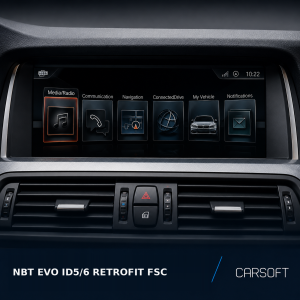
only for compatible NBT EVO ID5/ID6 systems.
The driver must not watch video content while driving. Availability and
permitted use depend on local law and vehicle configuration.
Typical NBT EVO ID5/ID6 applications
- BMW 1 Series — F20 / F21, selected vehicles from 03/2015
- BMW 2 Series Coupé — F22, selected vehicles from 03/2015
- BMW 2 Series Convertible — F23, selected vehicles from 11/2014
- BMW 3 Series — F30 / F31 / F34 / F80, selected vehicles from 07/2015
- BMW 4 Series — F32 / F33 / F36, selected vehicles from 07/2015
- BMW 5 Series — G30, selected early-production vehicles
- BMW 6 Series — F06 / F12 / F13, selected vehicles from 03/2016
- BMW 6 Series GT — G32, selected early-production vehicles
- BMW 7 Series — G11 / G12, selected early-production vehicles
- BMW X3 — F25, selected vehicles from 03/2016
- BMW X3 — G01, selected early-production vehicles
- BMW X4 — F26, selected vehicles from 03/2016
- BMW X5 — F15 / F85, selected vehicles from 07/2016
- BMW X6 — F16 / F86, selected vehicles from 07/2016
This list is provided as a general reference only. Compatibility is
determined by the installed head unit and software, not by chassis code
or production date alone.